


Visit the FIFINE Store
FIFINE USB/XLR Dynamic Microphone for Podcast Recording, PC Computer Gaming Streaming Mic with RGB Light, Mute Button, Headphones Jack, Desktop Stand, Vocal Mic for Singing YouTube-AmpliGame AM8
Recommended Uses For Product: Gaming
Brand: FIFINE
Model Name: AMPLIGAME AM8
Connectivity Technology: XLR
Connector Type: USB, XLR
Special Feature: Headphones Jack, Monitoring Volume Control, Buitin 3/8" and 5/8” Threads, Mute Function, RGB Lights, RGB Control Key, Volume Control, XLR/USB Connection
Compatible Devices: Desktop, Laptop, Mixer, Sound Card, Audio Interface, Personal Computer
Color: Black
Included Components: 6.5ft (2m) USB-C to USB-A Cable*1, Dynamic Microphone with Windscreen*1, Mic Based Stand*1, Tips: XLR cable and mic boom arm are NOT included, User's Manual*1
Polar Pattern: Unidirectional
[Natural Audio Clarity] Operated with frequency response of 50Hz-16KHz, the podcasting XLR mic delivers balanced audio range, likely to resonate with your audience. Directional cardioid dynamic microphone corded will not exaggerate your voice, while rejects unwanted off-axis noise for vocal originality and intelligibility during your PS5 gaming streaming video recording. (Tips: Keep the top of end-addressing XLR dynamic microphone AM8 facing audio source, and suggested recording range is 2 to 6 in.)
[XLR Connection Upgrade-Ability] To use XLR connection, connect the podcast microphone to an audio interface (or mixer) using a separate XLR cable (NOT Included) . Well-connected and smooth operation improves audio flexibility to make you explore various types of music recording singing. The streaming mic isolates the pristine and accurate sound from ambient noise with greater no interference and fidelity. (RGB and function key on mic are INACTIVE when using XLR connection.)
[USB Connection with Handy Mute] Skip the hassle of setting something up and plug the cable to play the dynamic USB microphone directly, which suits for beginner creators or daily podcast. You can quickly control the gamer mic with tap-to-mute that is independent of computer/Macbook programs to keep privacy when live streaming. LED mute reminder helps you get rid of forgetting to cancel the mute. (RGB and function key are only available for USB connection, but NOT for XLR connection)
[Soothing Controllable RGB] RGB ring on the desktop gaming microphone for PC, with 3 modes and more than 10 light colors collection, matches your PC gears accessories for gaming synergy even in dim room. You can control the RGB key button of the dynamic microphone USB directly for game color scheme gaming or live streaming. Configured memory function, the streaming microphone RGB no need to repeated selections after turnning off and brings itself alive when power on. (Only available for USB connection)
[More Function Keys] Computer microphone with headphones jack upgrades your rhythm game experience and gets feedback whether the real-time voice your audience hear as expected. Get the desired level via monitoring volume control when gaming recording. Smooth mic gain knob on the PC microphone gaming has some resistance to the point, easily for audio attenuation or boost presence to less post-production audio. (Only available for USB connection)
[Multiple Scene Use] The XLR/USB PC gaming microphone is a one stop shop to pull duties for both play and work. Use the standing desktop microphone for gaming at home studio or take it on the go. Built-in 3/8’’ and 5/8’’ metal threads, the dynamic XLR microphone fits the most mic stands without external adapter. Noise-canceling windscreen cover defeats hum from nearby electrical appliances for cleaner audio. (It is suggested to connect the mic to the USB-A port of the back of PS5 console.)




This is a modal window.
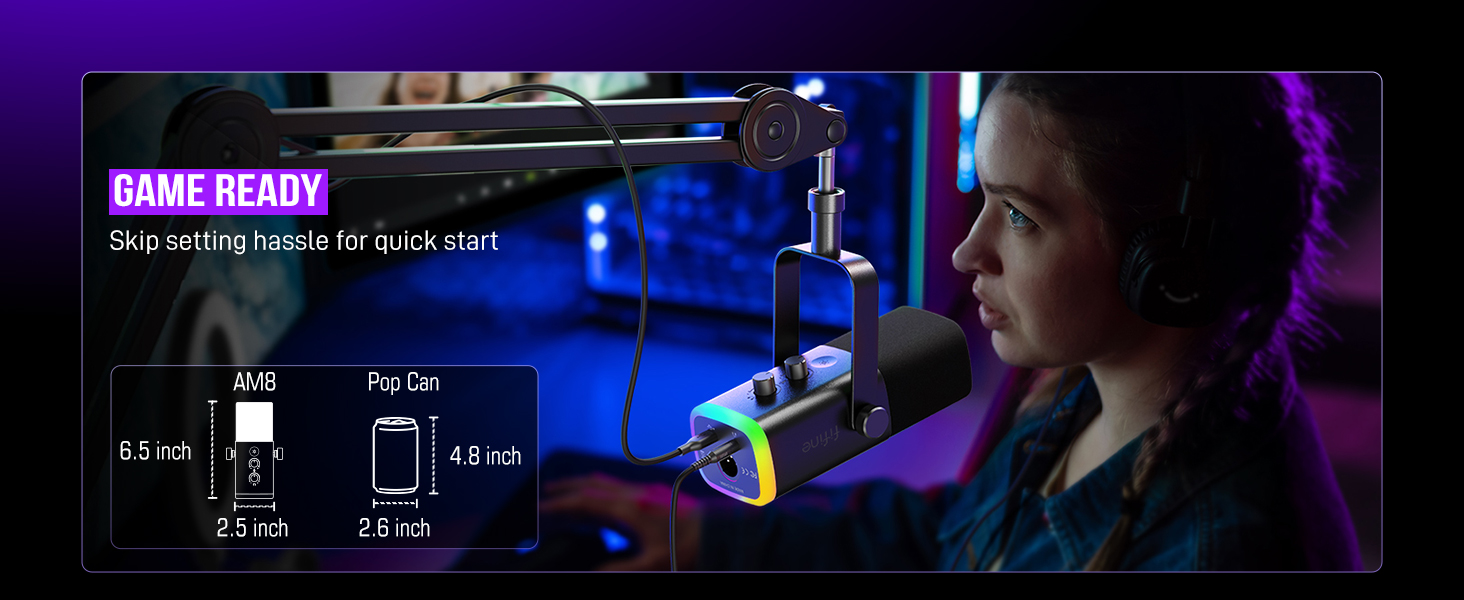


Gaming Streaming Mic
XLR or USB
Connector
XLR or USB
Dynamic
Acoustic Principle
Dynamic
On/Off/Color Choice
RGB Control
On/Off/Color Choice
Mute Button
Gain Knob
Headphones Jack
Vol. Monitor Control
XLR or USB
Connector
XLR or USB
Dynamic
Acoustic Principle
Dynamic
On/Off/Color Choice
RGB Control
On/Off/Color Choice
Mute Button
Gain Knob
Headphones Jack
Vol. Monitor Control
XLR or USB
Connector
XLR or USB
Dynamic
Acoustic Principle
Dynamic
On/Off/Color Choice
RGB Control
/
Mute Button
Gain Knob
Headphones Jack
Vol. Monitor Control
XLR or USB
Connector
USB
Dynamic
Acoustic Principle
Condenser
On/Off/Color Choice
RGB Control
On/Off/Color Choice
Mute Button
Gain Knob
Headphones Jack
Vol. Monitor Control
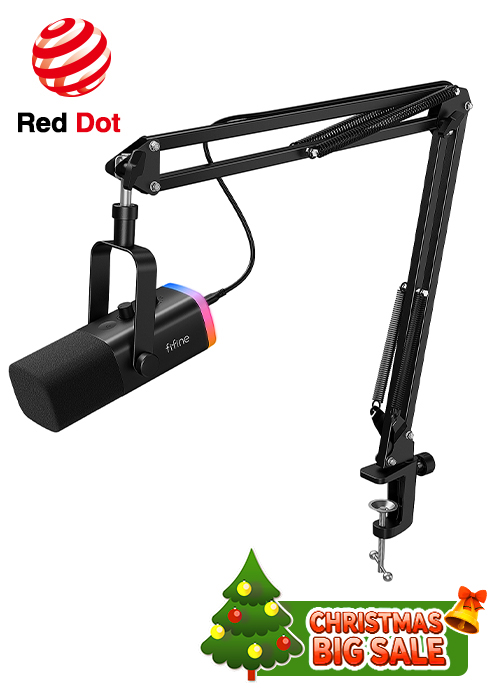


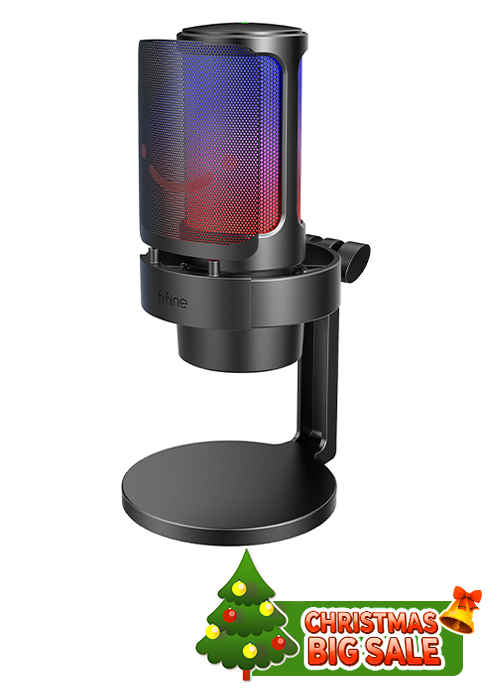
Can the rgb lighting of this mic be controlled or turned off?
What devices can the AM8 mic use with via USB connection?
What function keys does the AM8 mic have?
How can I get loud and clear sound quality while recording?
How do I setup the XLR connection?
Can the rgb lighting of this mic be controlled or turned off?
Yes, you can set the RGB light to either mode (static color, breathing multicolor, alternating multicolor) to match your neon / RGB aesthetic, or turn it off easily with a tap. This functionality is available only when connected via USB.
What devices can the AM8 mic use with via USB connection?
This mic works well with PC, laptop, Mac, PS5, but NOT compatible with Xbox. Tips: For Macbook that has only USB C port, a USB-C to USB-C cable (not included) is needed. For PS5, it's suggested to connect the mic to the USB-A port at the back.
What function keys does the AM8 mic have?
This mic comes with RGB button, mute button, mic gain, headphones jack and monitoring volume control. These functions only work when connected via usb, but not work via XLR. You can control the mic on mixer or audio interface when connected via XLR.
How can I get loud and clear sound quality while recording?
To get the best from the dynamic mic, we suggest speaking into the top of mic within 2''-6''. You can adjust the mic angle with the included desktop stand or choose the boom arm version of this mic, the AM8T(B0C74GYW3J) for optimal positioning.
How do I setup the XLR connection?
For the XLR connection to work, you need a separate XLR cable to connect the mic to an audio interface (or mixer) . You should control the functions (like volume, mute or monitoring) on the audio interface (or mixer).